

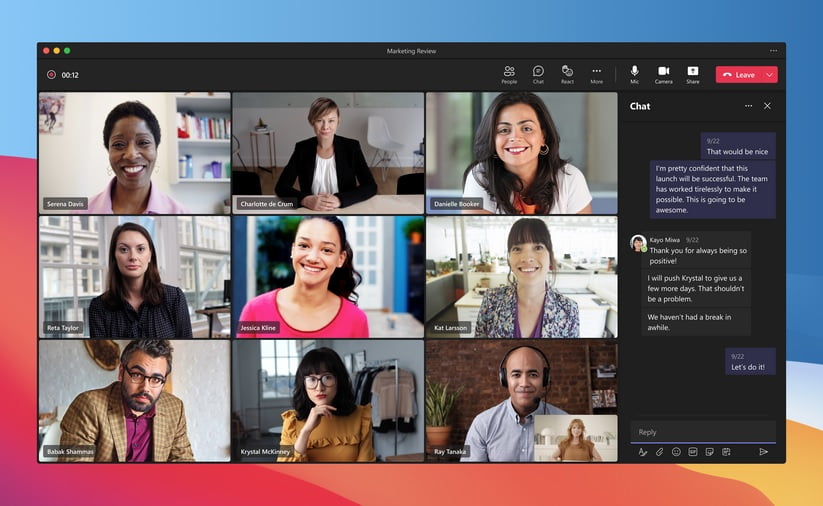
In today’s fast-paced world, collaboration is key to achieving organizational goals. However, the exponential growth of meetings and information can make it challenging to stay on the same page as a team. Teams Premium, a new offering introduced earlier this year, aims to address this issue by making meetings more intelligent, personalized, and protected. And now, we are thrilled to announce the general availability of intelligent recap, a powerful feature exclusive to Teams Premium customers. In this article, we will explore how intelligent recap leverages AI to revolutionize meeting experiences, saving time and enhancing productivity.
Contents
The Challenge of Meeting Overload
Since February 2020, the number of Teams meetings and calls per week has tripled, highlighting the increasing reliance on virtual collaboration. This surge in meeting activity can lead to meeting overload, fragmented conversations, and difficulties summarizing and coordinating next steps. Studies reveal that 55% of people find it challenging to determine next steps after a meeting, while 56% struggle to summarize the meeting’s outcomes. These statistics emphasize the need for a more efficient and effective way to manage meetings.
The Power of Intelligent Recap
Intelligent recap is a game-changer in the realm of meeting management. By harnessing the power of AI, it automatically provides a comprehensive overview of your meetings, enabling users to catch up quickly and coordinate next steps. Available on the new ‘Recap’ tab in Teams calendar and chat, intelligent recap offers a range of AI-powered insights, including automatically generated meeting notes, recommended tasks, and personalized highlights. Even if you missed the meeting, you can rely on intelligent recap to highlight the most crucial information, enabling you to stay informed and engaged.

With intelligent recap, capturing notes during the meeting becomes a thing of the past. AI-generated notes provide users with key points and takeaways, eliminating the need for manual note-taking. Powered by GPT (Generative Pre-trained Transformer), the notes are automatically created, ensuring accuracy and efficiency. Additionally, AI-generated tasks and action items are suggested for follow-up, making it easy to stay organized and ensure important action points are not overlooked.
It’s important to note that during the initial release in May, AI-generated notes and tasks will not be available for EU based tenants. However, they will be accessible to EU tenants starting in mid-August 2023, showcasing Microsoft’s commitment to delivering these features globally.
Streamlining Meeting Recordings
Meeting recordings are a valuable resource for catching up on discussions missed. However, finding the relevant parts within lengthy recordings can be time-consuming. Intelligent recap addresses this challenge by introducing personalized timeline markers. These markers, visible only to the individual user, highlight sections of the recording where their name was mentioned, when screens were shared, and when they joined or left the meeting. This personalized navigation feature enables users to efficiently access the most pertinent portions of the recording, maximizing their productivity.
Privacy and Compliance
Privacy and compliance are paramount when it comes to handling meeting data. Intelligent recap, developed by Microsoft, relies on various meeting data sources such as meeting transcripts, recordings, attendance reports, and invitee names. However, Microsoft maintains unwavering principles regarding data security and privacy in the enterprise. Intelligent recap seamlessly inherits your organization’s security, compliance, and privacy policies for Microsoft Teams. This ensures that data is managed in line with existing commitments and within the established compliance boundaries. Microsoft’s privacy policy and service documentation provide detailed information on the measures taken to safeguard user data.
Final Thoughts
Teams Premium introduces intelligent recap as a groundbreaking solution to the challenges posed by meetings in today’s fast-paced work environment. By leveraging AI, this feature empowers users to save time, effortlessly catch up on missed discussions, and coordinate next steps effectively. With automatic meeting notes, recommended tasks, and personalized highlights, intelligent recap revolutionizes the meeting experience and enhances productivity. As we strive to keep pace with the demands of the modern workplace, Teams Premium brings together AI-powered meeting capabilities to facilitate collaboration and drive innovation. Experience the power of intelligent recap by trying or buying Teams Premium today.