How To Instantly Unsend that Accidental Email on Your iPhone
Instantly Recall Accidental Emails: A Guide to Unsending on iPhone

Accidentally sent an email you wish you hadn’t? No worries! On your iPhone, it’s easy to unsend an accidental email.
If you’re using the Mail app on iOS 13 or later, follow the steps below:
1. Open the Mail app on your iPhone.
2. Go to the Sent folder and select the email you’d like to unsend.
3. Select the “More” icon on the bottom right corner.
4. Tap the “Unsend” option and confirm your selection.

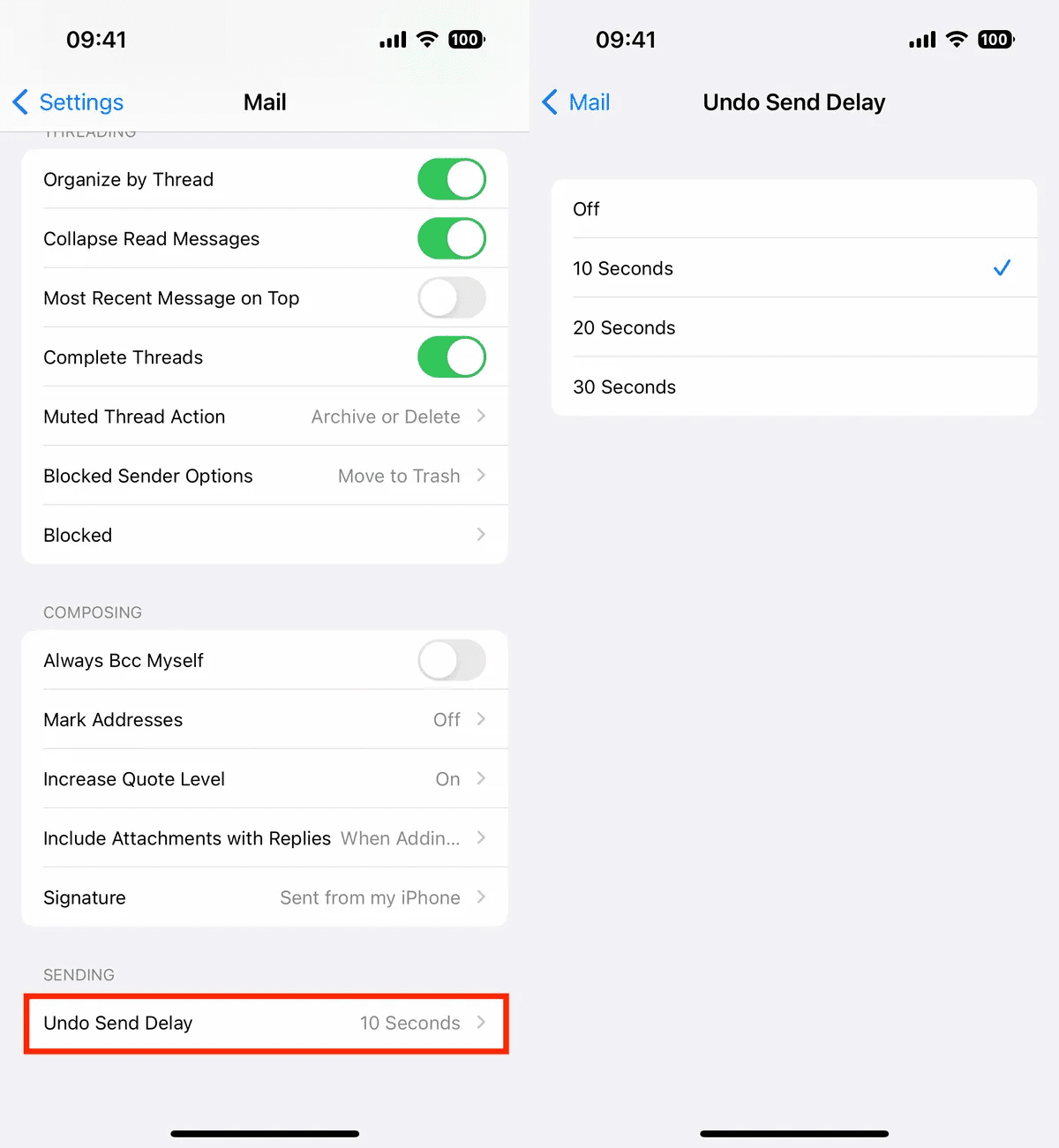
Once you confirm that you would like to unsend the email, it will be permanently removed from the recipient’s inbox. Note that you must unsend your email within 30 seconds of sending it for the unsend feature to work.
If you’re using an iOS version prior to iOS 13 on you iPhone, the unsend feature is not available. You can, however, try to recall the message if you’re using an Exchange account. To do this, go to the Sent folder, select the message, and tap the “Recall” option in the bottom left corner. Your message will be recalled and replaced with a new one, letting the recipient know that you recalled the email.
Unsending an accidental email or recalling a message is a breeze with your iPhone and the Mail app. Get further help with the Apple support page.
Remember, time is of the essence when it comes to unsending or recalling emails – act fast!